Security for Shops and Offices in Zanzibar: CCTV, Alarms and Access Control
Most shop and office security in Zanzibar is bought in a hurry after a break-in. This guide shows how cameras, alarms, access control, the till network and remote viewing fit together, and how to build them up in sensible phases.
Where to put cameras in a shop or office, including the till
Why the recorder, switch and router belong on a UPS
How an intruder alarm and access control complement CCTV
Why the till and card terminal need their own network
How to view cameras remotely without opening router ports
Applies to
Shops, pharmacies, showrooms and small offices
IP CCTV with an NVR and PoE switch
Intruder alarm panels with phone notification
Door access control and video intercoms
Business routers that support separate networks or VLANs
Tools Required
No tools needed.
Before you start
A floor plan or a walk-through of the site
A list of who needs access to which areas
Important
Ladders, high mounting and mains wiring are installer and electrician work.
Every access-controlled door must still let people out in an emergency.
In Stone Town, check heritage approval before mounting anything on a façade.
Step-by-Step Guide
A secure shop or office, layer by layer
1 / 7 steps
Step 1
Cover the four key places
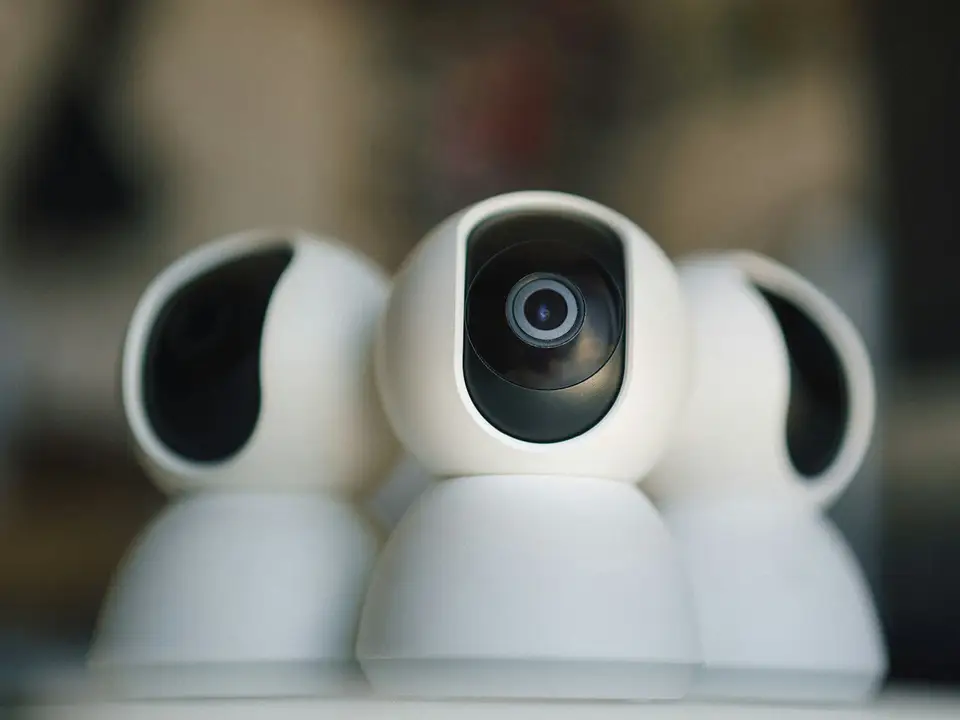
Put cameras on the entrance (faces), the till (hands and cash, never PINs), the stock room or back door, and the outside.
Expected result: Every entry point and the cash are covered by a camera.
Put the NVR, the PoE switch and the router on one UPS. If the switch is not on the UPS, the cameras go dark even though the recorder stays on.
Expected result: Cameras and recording continue through short power cuts.
Mount the NVR in a locked cabinet or a hidden spot, with the UPS beside it, so a thief cannot take the evidence with them.
Expected result: The footage survives even if the shop is broken into.
Door contacts and motion sensors report to an alarm panel with battery backup, which sounds a siren and notifies your phone.
Expected result: Someone knows about a break-in while it is happening.
A video intercom at the entrance and card or PIN readers on sensitive doors let you see visitors, remove leavers the same day and keep a log.
Expected result: Only the right people open the office, cash room or server cupboard.
On the business router, keep the POS and card terminal on their own network or VLAN, separate from guest Wi-Fi, staff phones and CCTV.
Expected result: A compromised phone or camera cannot reach the payment devices.
The recorder connects out to the manufacturer's cloud service, and your phone connects to that. No router ports are opened to the recorder.
Expected result: You can watch the shop remotely without exposing the recorder to the internet.
Troubleshooting
Common problems and how to fix them
1 Footage shows the tops of heads
Likely cause Cameras mounted too high or too far from the entrance.
Solution Lower and move the entrance camera so it captures faces as people walk in.
2 Faces are dark silhouettes at the door
Likely cause The camera faces a bright doorway.
Solution Reposition it, or use a camera with good backlight handling (WDR).
3 Recording stops during power cuts
Likely cause The recorder, PoE switch or router is not on a UPS.
Solution Put all three on one UPS and test it during the next cut.
4 No footage when it was needed
Likely cause The disk was full, failed or recording was never scheduled.
Solution Check the storage page and the oldest recording monthly. See the recording-not-available guide.
5 Till camera shows customers' PINs
Likely cause The camera angle covers the card terminal keypad.
Solution Re-aim it to show hands, the drawer and the counter, but not the keypad.
6 Cannot remove a leaver's access
Likely cause Shared alarm codes, door codes or CCTV logins.
Solution Give each person their own code, card and login, and remove them on their last day.
7 Remote viewing was set up with port forwarding
Likely cause The installer opened router ports to the recorder.
Solution Close the ports and use the manufacturer's cloud service with MFA, or a VPN.
In Depth
In Depth
Most shop and office security in Zanzibar is bought in a hurry after a break-in. This guide shows how cameras, alarms, access control, the till network and remote viewing fit together, and how to build them up in sensible phases.
It is written for owners and managers of shops, pharmacies, showrooms, small offices and branches. The tutorial above walks through the recommended layout; this section explains the reasons and the local details.
Local conditions that shape the design
Power cuts. A recorder without a UPS stops recording at exactly the moment the lights go out, which is also a moment thieves can use. Cameras powered from the recorder or a PoE switch stop too, unless that switch is on the UPS as well.
Surges and lightning. Power returning after a cut, and storms, regularly damage recorders and power supplies. Earthing and surge protection, especially on outdoor camera runs, are worth far more than they cost.
Salt air and humidity. Outdoor cameras and junction boxes near the sea corrode. Use outdoor-rated cameras, sealed junction boxes and stainless fixings, and inspect them a few times a year.
Stone Town heritage rules. Stone Town is a UNESCO World Heritage Site, and visible external changes need approval from the conservation authority. Cameras, alarm sirens and cables on a façade are visible changes. Plan discreet positions and check with the authority before installing.
Thick walls. Coral-stone and concrete walls make cable runs harder and block wireless cameras and alarm sensors. Wired equipment is usually more reliable.
Internet. Fibre is not everywhere, and 4G is a common primary or backup link. Remote viewing depends on the site's upload speed, not its download speed.
Spare parts. Recorders, hard disks and cameras are often stocked in Dar es Salaam. A failed disk can mean days without recording unless you keep a spare or have a support agreement.
Think in layers
Good security does four jobs: deter, detect, record and control who gets in. Cameras alone only record. An alarm detects and deters. Access control decides who enters. Each layer covers a gap in the others.
CCTV: where the cameras go
Entrances and exits: a camera that captures faces clearly as people come in, mounted at a moderate height rather than high on the ceiling, and not pointing straight into a bright doorway.
Cash point and till: a camera above and slightly behind the cashier, covering the drawer, the counter and hands handling money. Make sure it cannot see customers typing a card PIN or mobile-money PIN.
Stock room and back door: where internal losses often happen.
Outside: the shopfront, parking and side alleys, using outdoor-rated cameras.
Recorder (NVR) in a locked cabinet or hidden location, so a thief cannot carry it off with the evidence, on a UPS, with enough disk for your retention period. Use the CCTV storage calculator.
Note Put up clear signs that CCTV is in use, and decide who can view and export footage. Tanzania's Personal Data Protection Act, 2022 treats data about an identifiable person, recorded in any form, as personal data, which can include CCTV footage. It requires anyone who collects or processes personal data to register with the Personal Data Protection Commission (PDPC). The Act applies in Zanzibar only to Union matters, so how far it reaches for a Zanzibar shop or office is a question for a legal adviser. This is not legal advice.
Intruder alarm
Cameras record a burglary; an alarm tries to stop it. A basic alarm has motion sensors, door contacts on entrances, a siren, and a panel with battery backup. Choose one that notifies you by phone (through a SIM or the internet) when it goes off, because a siren alone may not bring help at night. Test the notification every month.
Access control and intercom
For offices and back-of-house areas, card, fob, PIN or fingerprint access lets you remove a former employee's access the same day instead of changing locks, see who entered and when, and keep staff out of areas they do not need, such as the server cupboard or cash office. A video intercom at the entrance lets staff see visitors before opening.
Every locked door must still let people out in an emergency. Our access control and smart locks guide explains fail-safe and fail-secure locks, power cuts and fire alarm release.
Payment (POS) network separation
Card terminals and POS tills should not share a network with guest Wi-Fi, staff phones or CCTV. On a business router, put them on their own VLAN or network so a compromised phone or camera cannot reach payment devices. At minimum:
No customer Wi-Fi on the same network as the till.
Default passwords changed on the router, POS system and recorder.
Mobile-money payments (M-Pesa, Mixx by Yas, Airtel Money, HaloPesa and others) confirmed on the till or the official app before goods are handed over, to defeat fake confirmation messages.
Safe remote viewing
Watching your shop from your phone is useful, but do not open router ports to the recorder. Use the manufacturer's cloud service with a strong password and multi-factor authentication where offered, or a VPN. Full detail is in How to View Your CCTV on Your Phone Safely.
Real examples
The RANS Company Limited office is an office project where Extrion delivered LAN, fibre, CCTV, IT systems and business applications, systems integration and technology support. The Kilimo warehouse in Malindi shows security at a larger scale, with LAN, fibre, CCTV, access and security, fire systems and PA.
Phased options
You do not have to do everything at once. Each phase works on its own.
Phase
What it adds
Typical contents
1. Core
Recording you can rely on
Cameras at entrance, till, stock room and outside; recorder on a UPS, hidden or locked; safe remote viewing; separate till network
2. Detection
Someone knows when it happens
Intruder alarm with door contacts, motion sensors and phone notification; extra cameras for side entrances and parking; surge protection on outdoor runs
3. Control
You decide who gets in
Access control on the main door and sensitive rooms; video intercom; several branches managed together
Security checklist
Walk the site and list every entrance, the till, the stock room and blind spots.
Check every camera's view at night as well as by day.
Confirm the till camera shows money handling but not customers' PIN entry.
Put the recorder, PoE switch and router on a UPS, and test it during a power cut.
Hide or lock the recorder so it cannot be stolen with the footage.
Check how many days of recording you actually keep.
Separate the POS and card terminal from guest and staff Wi-Fi.
Change all default passwords; give each person their own login.
Set up remote viewing through the cloud service or a VPN, never open ports.
Test the alarm and its phone notification every month.
Remove access for leavers on the same day: alarm codes, door access, CCTV accounts.
Put up CCTV signs and decide who may view and export footage.
In Stone Town, check heritage approval before mounting anything on the façade.
Check outdoor cameras and boxes for corrosion every few months.
Common mistakes
Recorder on the shop counter. Thieves take it, along with the evidence.
Cameras too high. They show the tops of heads, not faces.
Pointing at bright doorways. Faces turn into silhouettes against the light. Use cameras with good backlight handling, or reposition.
No UPS. Recording stops when the power does.
Disk full or failed for months. Nobody notices until footage is needed. If this has happened to you, see CCTV Recording Not Available.
Port forwarding for remote viewing. It exposes the recorder to attackers on the internet.
Shared alarm code and admin password. You cannot remove one person without changing it for everyone.
Till on the customer Wi-Fi. Payment devices should never share a network with the public.
Warning Mounting cameras on high walls or ceilings means ladders and electrical work. Use a qualified installer with proper access equipment, and never work on mains wiring yourself.
If you are opening a new shop or office, have had a break-in, or are not sure your system records when it should, Extrion can audit and design the right set-up, including CCTV, intruder alarms and access control. See our security service or contact us.
This guide is general information. Procedures, product features and firmware change, so check your own equipment's documentation before you start.
FAQs
Frequently asked questions
How many cameras does a small shop need?
Many small shops start with four: entrance, till, stock room and outside. The right number depends on the layout, the number of doors and the blind spots, so walk the site before buying.
Should I choose wireless cameras?
Wired cameras are usually more reliable in buildings with thick coral-stone or concrete walls, and PoE lets them run from the same UPS as the recorder. Wireless can suit places where running cable is impossible, but each camera still needs power.
How long should I keep recordings?
Long enough to notice a problem and retrieve the footage, often two to four weeks for a shop. Use the storage calculator to size the disk, then check the oldest recording on the recorder to confirm.
Do I need an alarm if I have CCTV?
CCTV records what happens; an alarm can scare intruders off and alert you immediately. They do different jobs, and together they cover far more than either alone.
Where should the till camera point?
Above and slightly behind the cashier, covering the drawer, the counter and hands handling cash. It must not show customers entering a card or mobile-money PIN.
Why should the till be on its own network?
So that an infected phone, a guest on the Wi-Fi or a poorly secured camera cannot reach your payment devices. A business router can keep them apart with a separate VLAN or network.
What happens to my security during a power cut?
Without a UPS, recording stops and PoE cameras go dark. Put the recorder, PoE switch and router on a UPS, and make sure the alarm panel and access control power supplies have charged batteries.
Can I see all my branches on one phone?
Yes. Most recorders and apps support several sites, as long as each one is set up for safe remote access through the cloud service or a VPN.
Need Professional CCTV Installation?
Our engineers survey the site, choose the right cameras and recorder, install them neatly and set up safe remote viewing.
Ask for clarification, tell us a problem this did not solve, or suggest a topic. An engineer reads every message, and we use them to improve the Knowledge Center.
BookBook a consultationPick a time to talk through your project.
Call us+255 674 020223
WhatsAppChat with our team.
Emailinfo@extrion.co.tz
PayPay withBank and mobile money detailsPBZ Bank 045 195 9000Mixx by Yas +255 674 020 223Lipa Namba 16172192
Find usKiembesamaki, Zanzibar
Ask Extrion
Engineers reply Mon – Fri, 08:00 – 17:00
End this chat?
We'll send a copy of the conversation to our team. Next time, the chat starts fresh.
online nowPeople browsing Extrion Tech right now
Privacy by design
A few cookies, only with your say-so
We use essential cookies to keep this website secure and working. With your permission we also remember your preferences and play embedded videos. No advertising trackers, ever. Read our cookie notice
 CCTV, Surveillance & Physical Security
15 min
Zanzibar resource